

Focus: Changing the focus method
- Mode dial position:
 -
-  -
-  -
- 
- Press MENU to display the menu
- Select
 with
with  on the control button.
 - Select the desired setting with
 , then press
  .
. - Press MENU to turn off the menu.
The menu items available vary depending on the mode dial position and settings. Only the available items are displayed on the screen.
Focuses on a subject in all ranges of the finder frame automatically.
|
||||||||
Focuses on a subject in the center of the finder frame automatically.
|
||||||||
0.5 m |
Focuses on the subject using a previously set distance to the subject. (Focus preset) When shooting a subject through a net or through window glass, it is difficult to get the proper focus in auto focus mode. In these cases, use of [Focus] is convenient. |
|||||||
3.0 m |
||||||||
7.0 m |
||||||||
 |
||||||||


Notes
- AF stands for Auto Focus
- Distance setting information in “Focus Preset” is approximate. If you point the lens up or down, the error increases.
- [Multi AF] is recommended for shooting movies.
- When you use Digital Zoom or AF Illuminator, priority AF movement is given to subjects in or near the center of the frame. In this case the
 or
or  indicator flashes and the AF range finder frame is not displayed.
 - Some options are not available depending on the Scene mode
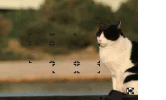
If the subject is out of focusWhen shooting with the subject at the edge of the frame (or the screen), or when using [Center AF] , the camera may not focus on a subject at the edge of the frame.
|
 |
|||
|
||||
 |

Basic techniques for better images
- Focusing on a subject successfully
- Adjusting the light intensity
- On “image quality” and “image size”
- On the effects of lighting
- On using the flash
