

Metering Mode: Selecting the metering mode
Selects the metering mode that sets which part of the subject to measure to determine the exposure.
- Mode dial position:
 -
-  - -
- - 
- Press MENU to display the menu
- Select
 with
with  on the control button.
 - Select the desired setting with
 , then press
  .
. - Press MENU to turn off the menu.
The menu items available vary depending on the mode dial position
and settings. Only the available items are displayed on the screen
|
|
Divides into multiple regions and measures each region. The camera determines a well-balanced exposure (Multi-pattern metering). | ||
|
|
Measures the center of the image, and determines the exposure based on the brightness of the subject there (Centerweighted metering). | ||
|
|
Measures only a part of the subject (Spot metering).
|


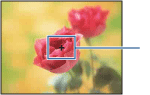
- When using spot metering or center-weighted metering, setting [Focus] to [Center AF] is recommended to focus on the metering position
Basic techniques for better images
- Focusing on a subject successfully
-
Adjusting the light intensity
- On “image quality” and “image size”
- On the effects of lighting
- On using the flash

Last Updated 22 May 2008